
The fuel flow chain is the system responsible for transporting fuel around the spacecraft. The once the chain is established, it is set up with default values and works out of the box. At minimum, there needs to be at least a Fuel Source and a consumer such as a Cold Gas Thruster. This guide demonstrates how the fuel flow chain works and how it can be configured in the software.
Configuring a Fuel Source
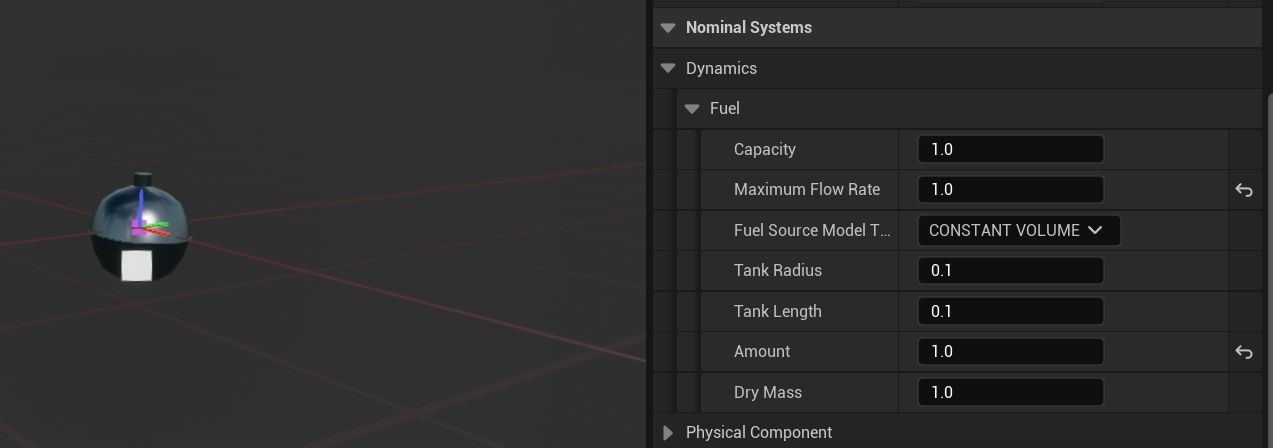
Open up the BP_NS_Spacecraft_Propulsion found in Content → Zendir → Blueprints → Spacecraft and select the Fuel Source component. The Fuel Source properties can be viewed in the details panel under Child Actor Component → Child Actor Template → Zendir → Fuel Source. The key properties of the fuel flow chain are as follows:
- Amount: The amount of fuel in this Fuel Source. This is also the amount of fuel at the beginning of the simulation.
- Capacity: The maximum amount of fuel the Fuel Source can contain.
- Maximum Flow Rate: The maximum amount of fuel that the Fuel Source can provide at a time.
Configuring a Cold Gas Thruster
By default a Cold Gas Thruster will burn disregarding fuel flow. By connecting the thruster to a fuel source, the thruster will consume fuel during it’s burn.
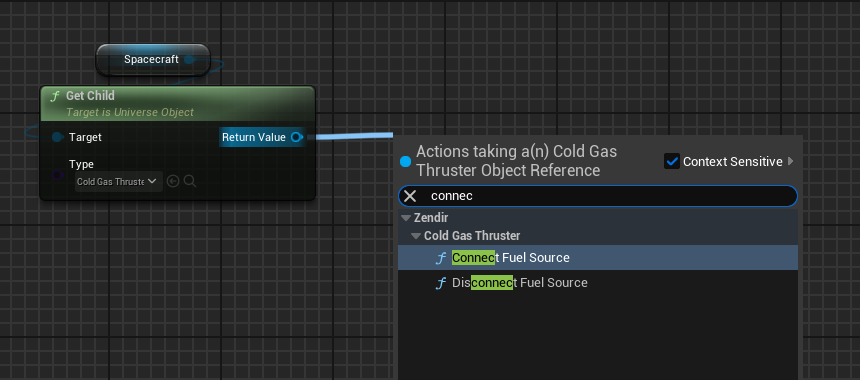
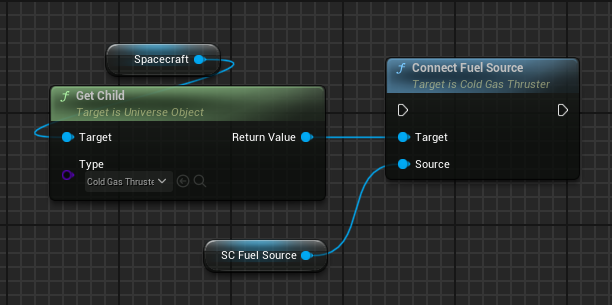
To configure a thruster to consume fuel from a fuel source while burning, get a reference to it and call ConnectFuelSource and put the desired FuelSource as the Fuel Source input. This is all that’s required to setup a fuel flow chain.
Creating a Valve using Blueprints
For more control of the flow system, a custom valve implementation can be achieved through blueprints. We’ll create a simple IsValveOpen variable that’ll block the thrusters from firing.
Create a branch node before the Create Thruster Fire Request Message node create a new Boolean variable, named IsValveOpen and connect that as its condition. Make sure to set the default value of IsValveOpen to false.
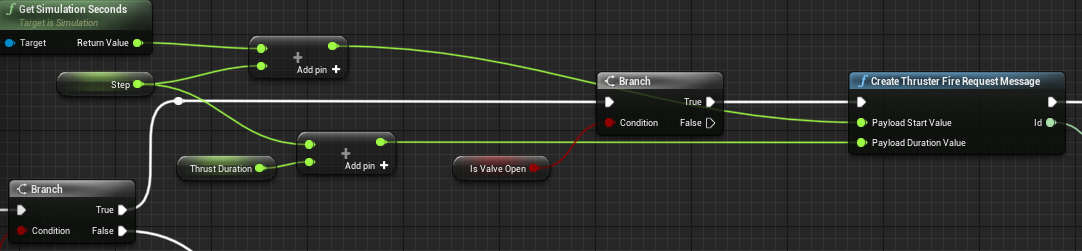
Now the thrusters won’t fire anymore as the IsValveOpen prevents the Create Thruster Fire Request Message from being created. The IsValveOpen can have more complex logic done by controlling when it gets set to true in blueprints.