
A spacecraft is more than its parts. Components share power through a Power Bus, gain extra physics through models, and are controlled by flight software that reads and publishes messages. This page continues with the EventSat spacecraft from Building a Spacecraft.
Like building, all wiring changes are only allowed while the simulation is reset.
Creating a Power Bus
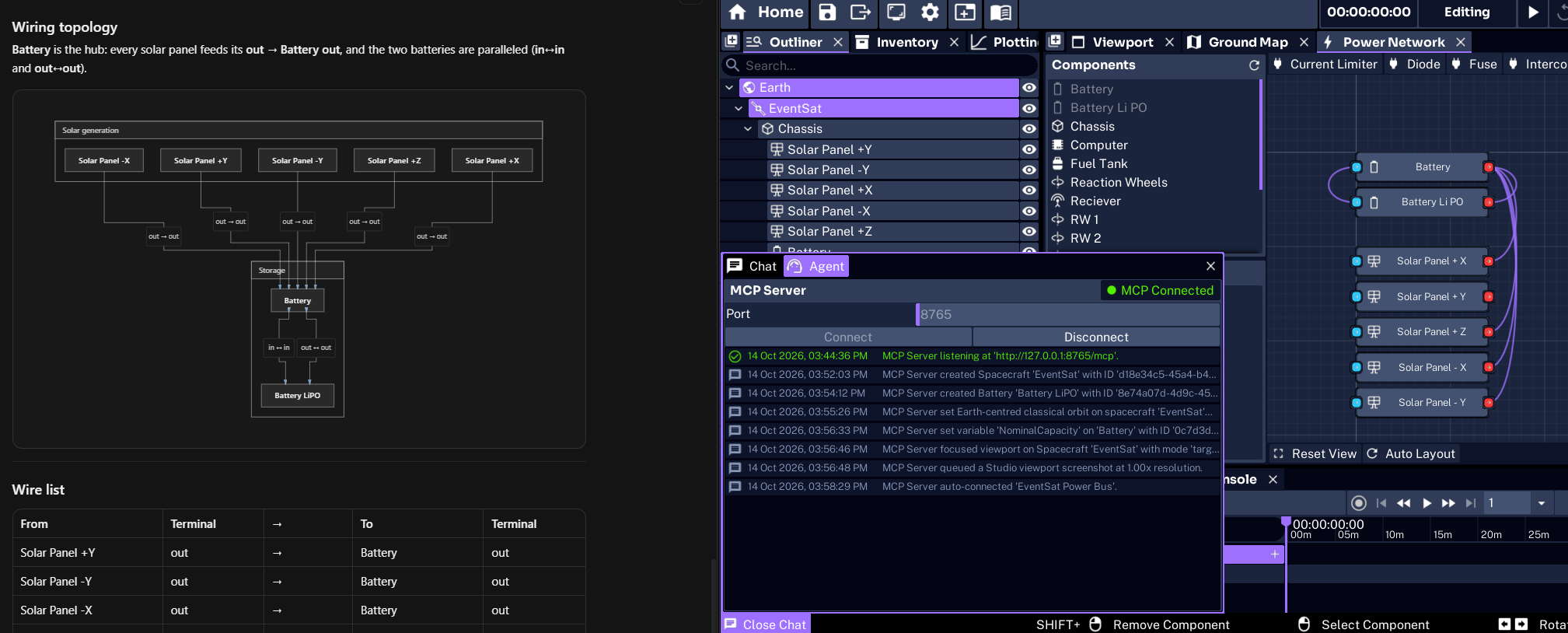
A power bus is the electrical network of a spacecraft. power_bus_create adds one to the spacecraft. With autoConnect, the agent also finds every power-capable component, such as the Solar Panel and Battery components, and wires them automatically.
Create a power bus on EventSat and auto-connect its components. Then show me the wiring.power_bus_state reports the bus: each component, every wire with its terminals, and the voltage, current, and power of each component. It can be called while the simulation is running, which makes it useful for checking power flow during a run.
Wiring Components
Individual wires are added with power_bus_connect. Each component has an in and an out terminal, and Studio follows this convention:
- Sources: A power source such as a solar panel connects its
outterminal to a battery’soutterminal. - Batteries: Batteries chain from
outtoin. - Loads: Loads, switches, fuses, and regulators connect from an upstream
outterminal to their owninterminal.
The agent follows this convention when you describe the circuit in plain terms, for example “connect the transmitter to the battery”. Power models are attached to the components automatically when they are wired.
Other tools edit an existing network:
- Disconnecting:
power_bus_disconnectremoves a wire and keeps both components on the bus. - Removing:
power_bus_removetakes a component off the bus. By default it reconnects the component’s inputs to its outputs so the circuit stays closed. - Replacing:
power_bus_replacemoves all of a component’s wires to another component. - Rewiring:
power_bus_autoconnectrediscovers and wires every power component on the spacecraft. - Deleting:
power_bus_deleteremoves the bus and its wiring. The components themselves are kept.
Separate spacecraft each have their own bus. To share power between them, link two Power Interconnect components with power_interconnect_link, then wire each interconnect into its own bus.
Attaching Models
A model adds a physical effect to an object, such as the Solar Model that computes the power a solar panel generates. An object holds at most one model of each type.
Which models can EventSat's +X solar panel use, and which are attached?model_list_available lists every model an object supports and whether each is attached. model_get returns a model and its variables, and attaches a supported model first if it is missing. model_enable and model_disable turn a model on or off without removing it. Model variables are changed with variable_set, using the model’s ID.
Adding Flight Software
Flight software, such as Nadir Pointing Software, is a behavior: logic that runs on an object each step. behaviour_list_available lists the behaviors that can be created, the messages each one needs, and the messages it publishes.
Add nadir pointing software to EventSat and tell me which inputs it needs connected.behaviour_create adds the behavior. Software added to a spacecraft is placed on its Guidance Computer when it has one. The result lists the behavior’s message inputs and outputs, ready to be connected.
behaviour_list and behaviour_get show the behaviors on an object. behaviour_enable, behaviour_disable, and behaviour_delete manage them. Deleting a behavior also clears any inputs elsewhere that were reading its outputs, and the result lists them.
Connecting Messages
Components and software exchange data through messages. Inputs start with In_ and outputs start with Out_. An input reads nothing until it is connected to an output of the same message type.
Connect every unconnected input on the nadir pointing software to the right sources.The agent uses three tools for this:
message_listshows an object’s inputs and outputs, and what each input is connected to.message_sourcesfinds every output in the simulation that is compatible with an input, including planet outputs. Outputs on the same spacecraft are listed first.message_connectconnects the input to a chosen output, replacing any existing connection.
message_disconnect clears an input. Inputs and outputs can be named in several forms, such as In_SunPlanetStateMsg, SunPlanetState, or Sun Planet State.
NOTE
Ask the agent to check
message_listafter wiring. An input left unconnected is a common reason for software that does nothing during a run.
Next, have the agent start scheduling events.