
The Simulation tab controls how the Space Range world advances in time. These settings decide the start epoch, how fast the clock runs, how accurately the physics integrates, and how long the exercise lasts.
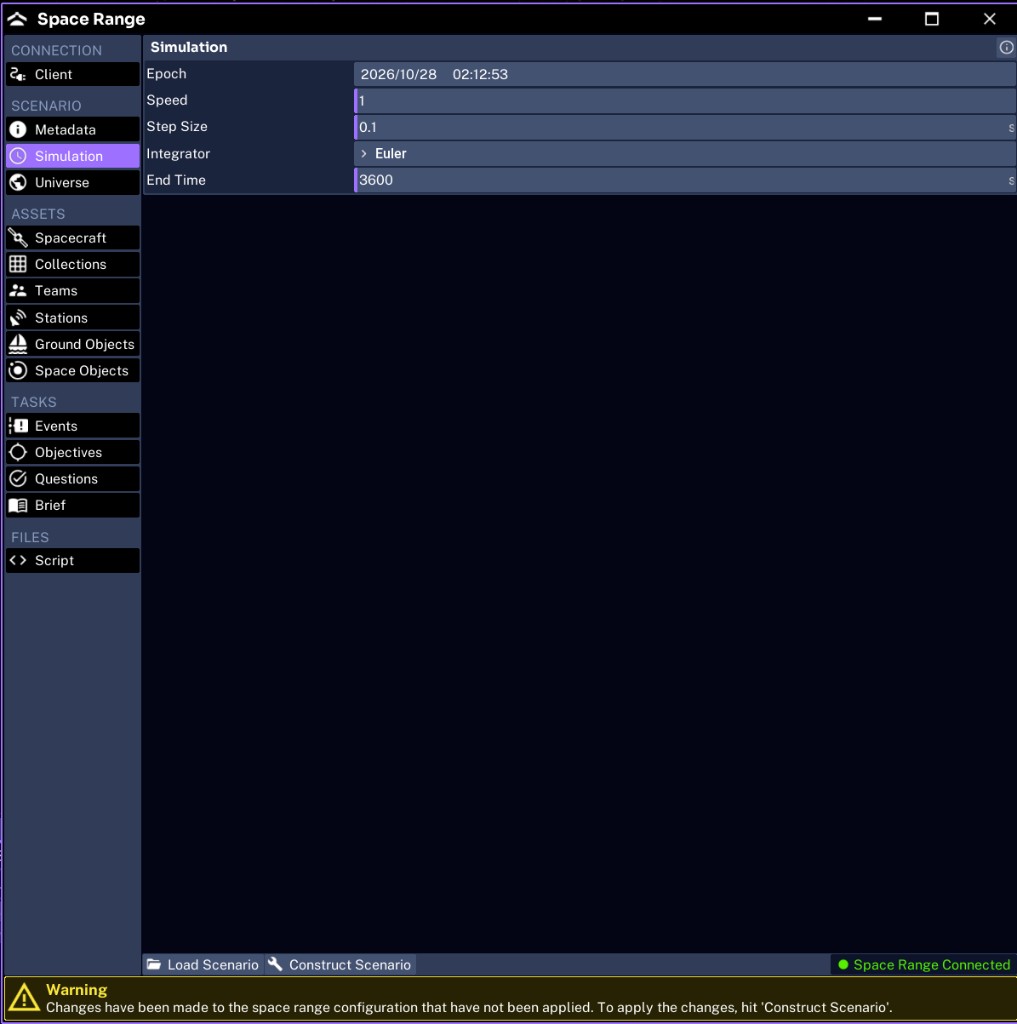
Reviewing the fields
The Simulation tab has five fields, all serialized into the scenario JSON simulation block.
| Field | Purpose | Default | JSON key |
|---|---|---|---|
| Epoch | The UTC start time of the simulation | current time | simulation.epoch |
| Speed | The time multiplier applied to the clock | 1.0 | simulation.speed |
| Step Size | The physics integration step in seconds | 0.1 | simulation.step_size |
| Integrator | The numerical method, Euler or RK4 | Euler | simulation.integrator |
| End Time | The simulation second at which the run stops; 0 runs indefinitely | 3600 | simulation.end_time |
Setting the epoch
The epoch is the absolute UTC time the scenario starts, shown and written in YYYY/MM/DD HH:MM:SS format. It affects lighting, ground station geometry, and GPS. Use a fixed epoch when an exercise must be repeatable, so every run sees the same sun angle and pass schedule.
Choosing a speed
Speed multiplies the clock. All event and objective timers use simulation seconds, so real elapsed time scales with speed:
real seconds = simulation seconds / speedAt 1x, an event at 100 simulation seconds fires after about 100 real seconds. At 5x, it fires after about 20. Keep a short exercise at 1x while testing so timing is easy to observe.
Choosing an integrator and step size
Euler is fast and sufficient for most introductory scenarios. RK4 is more accurate for sensitive dynamics such as close proximity operations, at a higher compute cost.
A smaller Step Size improves accuracy but costs performance. 0.1 is a good default. Reduce it only if attitude or orbit behavior looks unstable.
Setting the end time
End Time must extend past every event and objective window, or those triggers never fire. For Pathfinder Checkout, the single event is at 100 seconds, so set:
- End Time:
600
A value of 0 runs the simulation indefinitely, which is useful for open-ended training but makes scored exercises harder to close out. The loader uses 3600 when the key is omitted, so write an explicit 0 when you want an open-ended run.
Next, configure the universe.