
Teams define who can join, which spacecraft they receive, and the initial communications settings used by those spacecraft.
Creating Blue Team
Open Teams and select the add control.
Configure:
- Enabled: on
- Name:
Blue Team - ID: a unique numeric value
- Password: a unique six-character access code
- Frequency:
612 MHz - Key:
42 - Asset Collection:
Main - Color: blue
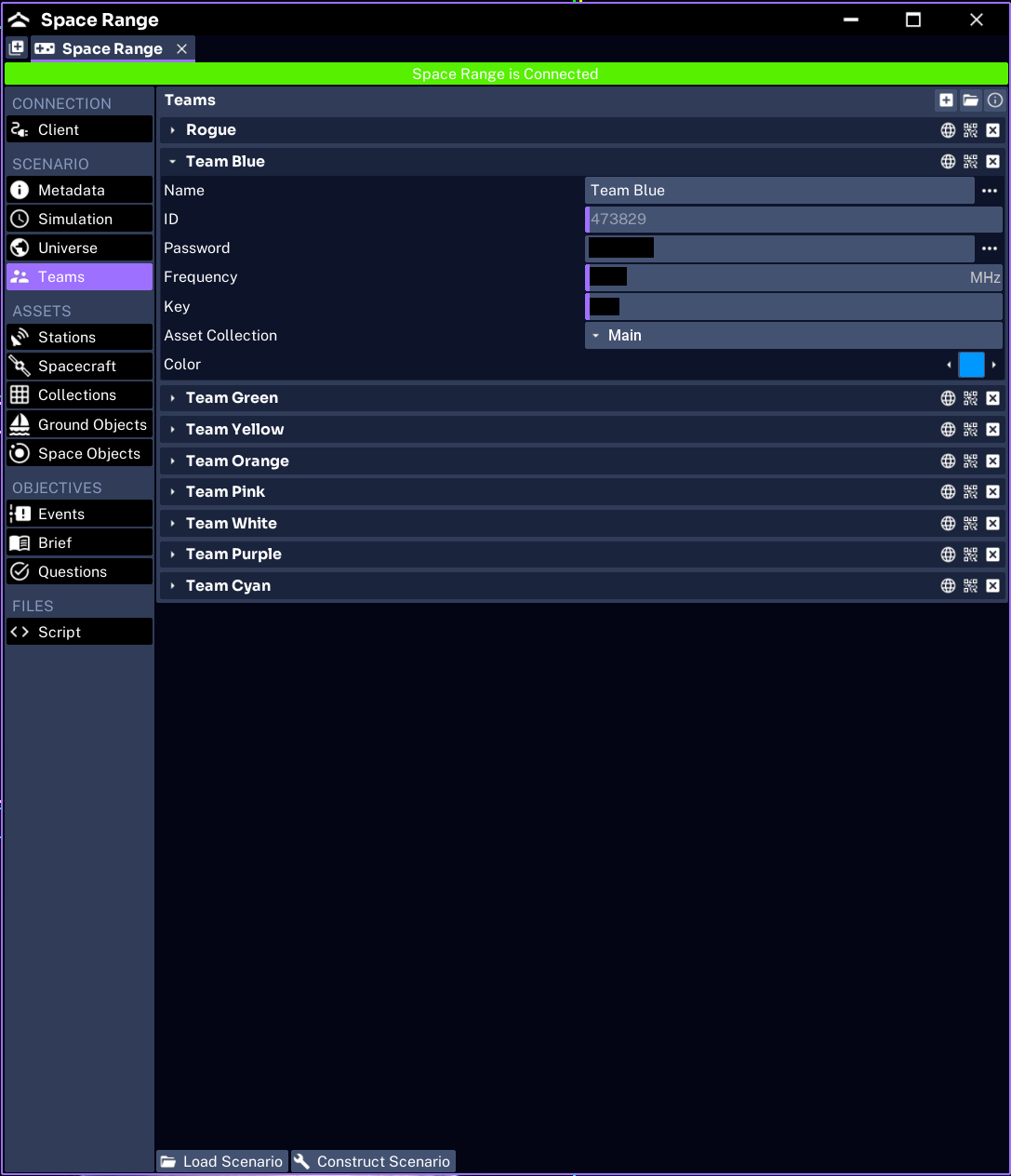
The complete assignment is:
Blue Team → Main → SC_001 → PathfinderUnderstanding the credentials
The Password is what participants enter in Operator. It is not the numeric team ID.
The Frequency and Key initialize the team’s communications settings. Operators may change them during an exercise when the command set permits it.
Use different passwords for every team. Use distinct colors and names so teams remain easy to identify in Operator Admin, maps, and plots.
Adding more teams
When several teams should fly copies of the same spacecraft, assign each team to Main. Space Range constructs a separate Pathfinder instance for each enabled team.
When teams should fly different spacecraft:
- create another spacecraft definition
- create another collection containing that spacecraft
- assign the intended team to the new collection
Do not use one collection merely because it already exists. The collection is the team’s spacecraft loadout.
Checking team errors
Before continuing, check:
- every team is enabled when it should participate
- every numeric ID is unique
- every password is unique
- every collection exists
- every frequency and key matches the intended exercise design
WARNING
A duplicate numeric team ID can prevent the later team from being added. Give every team an explicit, unique ID and confirm the final team count after constructing.
Next, configure the ground network.