
Questions appear as scored tasks in Operator. Add them only after the spacecraft, team, collection, and ground network are valid.
Adding a Number question
Open Questions and select the add control.
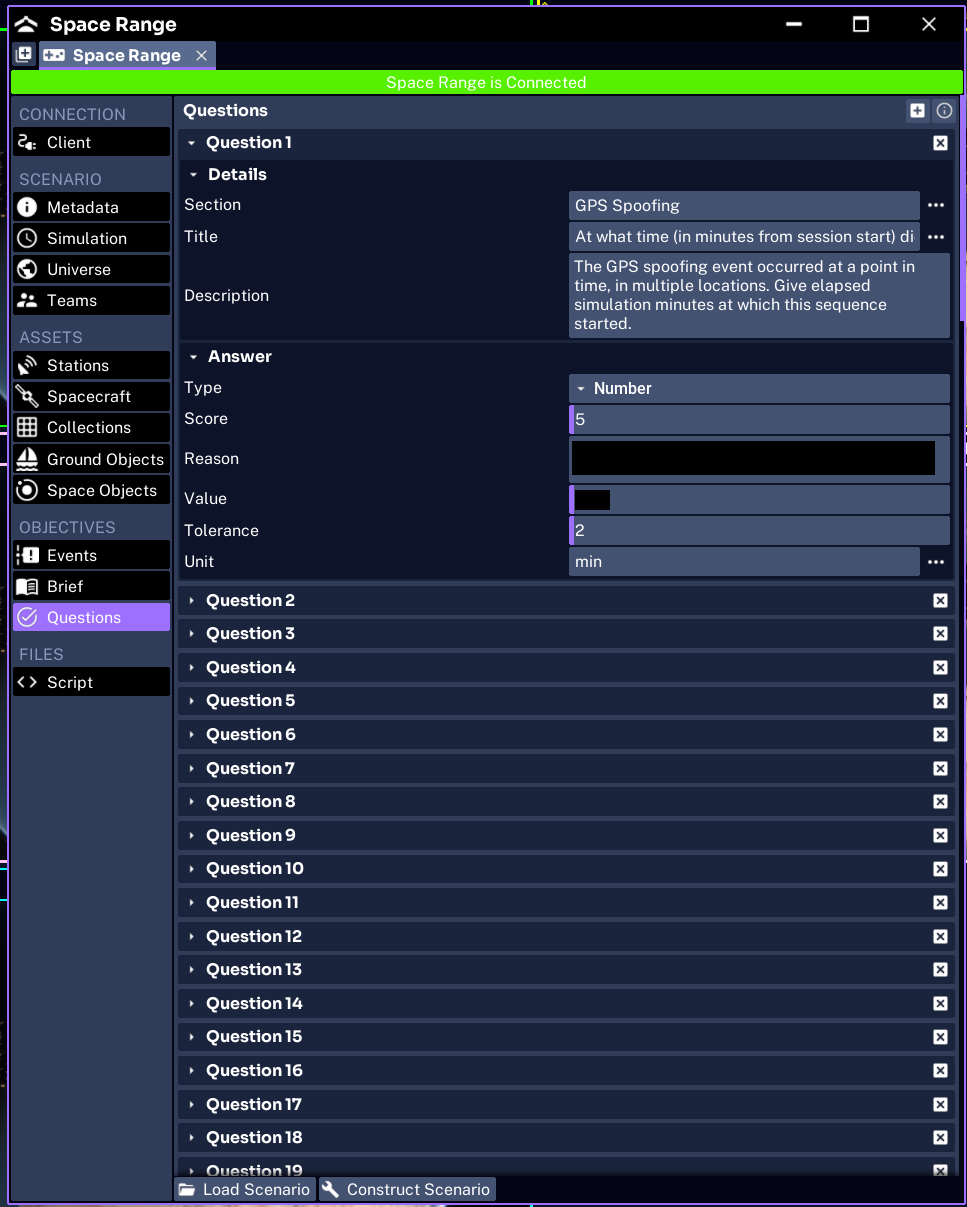
Create the first Pathfinder Checkout question:
- Section:
Orbit - Title:
What is Pathfinder's semi-major axis? - Description:
Use the spacecraft configuration or navigation data. - Type:
Number - Value:
7000 - Tolerance:
5 - Unit:
km - Score:
5 - Reason:
Pathfinder was configured with a semi-major axis of 7000 km.
The unit is a display label. Space Range does not convert a submitted value between units.
Understanding common fields
Every question should have:
- Section to group related tasks
- Title for the short prompt
- Description for instructions
- Type
- Score
- the expected answer
- Reason explaining the result when the answer is wrong
Question IDs are assigned automatically in list order.
Writing Text questions
Use Text for one short answer, such as a spacecraft call sign.
Text comparison ignores capitalization and whitespace. It does not provide fuzzy spelling or a list of accepted synonyms.
Example:
- title:
What call sign is printed on the target? - value:
ATLAS
Avoid questions where ATLAS, ATLAS-1, and Target Alpha could all reasonably be correct.
Writing Number questions
Use Number for measured or calculated values.
Always define:
- expected value
- realistic tolerance
- unit
- scoring reason
Use a tolerance that reflects the precision operators can observe. A tolerance of 0 requires an exact match.
Writing Select questions
Use Select for one correct option.
For the event lesson, add:
- Section:
Communications - Title:
Which component was affected by the anomaly? - Options:
Battery,Computer,Receiver,Transmitter - correct option:
Transmitter - Score:
5 - Reason:
The event reduced the transmitter bit rate.
Keep options distinct. Do not use two labels that describe the same component.
Writing Checkbox questions
Use Checkbox when multiple options can be correct.
The current scoring awards points from the overlap between the selected and correct options. Partial selections can receive partial credit. Use separate Select questions when the learning outcome must be all or nothing.
Making questions answerable
Each answer must be supported by something operators can observe:
- orbit or configuration data
- telemetry
- a visible ground or space object
- imagery
- messages or event history
- behavior that changes during the exercise
Run the scenario yourself before finalizing the wording. If the answer depends on UI rounding, widen the tolerance or ask for a range.
Testing question behavior
Use disposable test teams because each team can answer each question only once during a run.
Test:
- every question appears
- sections and ordering are correct
- units and options are correct
- the intended answer receives the expected score
- an incorrect answer shows a useful reason
- Checkbox partial scoring matches the exercise design
If a question disappears after load, check its type and expected value. A missing or unknown type, or a Number or Select question without a value, can cause it to be skipped.
Next, write the operator brief.